
Vibestrate docs
Vibestrate is where your AI coding agents work together - one shared plan, one set of rules, one record. It runs the CLIs you already have and leaves the final call to you.
In simple words
You have the models. Vibestrate takes over the logistics of putting several of them on one task: pasting the same context into each tool, keeping a spare checkout so a risky change cannot reach your files, carrying one model’s output into the next one’s prompt, and catching where they drift apart.
vibe ui opens the dashboard on 127.0.0.1:4317, and it drives the coding CLIs already installed on your machine. The final call stays yours.

New here? Read the big picture for the vocabulary, then open the dashboard and run one task. The words land faster once you have watched a run happen.
What you get
One plan, every model Same project context, same plan, same story so far.
A reviewer that did not write it Cross-model review by construction, not by remembering to open a new chat.
A copy of your repo per run Your branch is untouched until you decide.
A record you can re-read Every decision, token and dollar, written down locally.
There is no Vibestrate account, no cloud backend and no relay. It spawns the vendor CLIs you are already logged into, so your keys never pass through it and your bills come from those vendors directly.
A crew, not one model
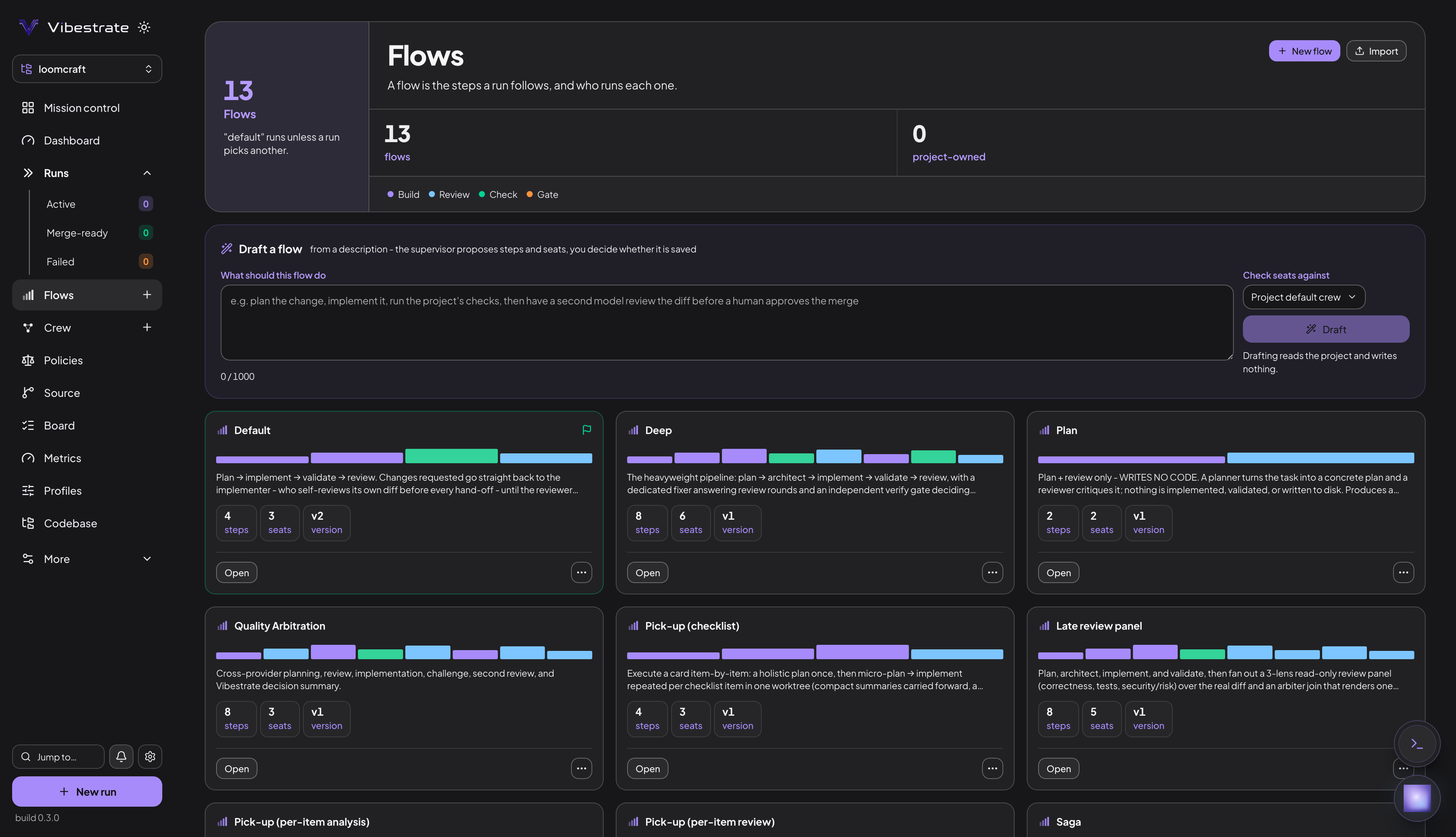
The Default flow seats three workers - planner, implementer and reviewer - across four steps, and you choose the provider and model behind each seat. Put the reviewer on a different model from the implementer: when the reviewer asks for changes, the work goes back to the implementer itself, up to three passes. A model reviewing its own work can only lower its own confidence. The deep flow keeps the six-seat pipeline - an architect ahead of the implementer, a dedicated fixer answering review rounds, and a separate verifier taking the last look.
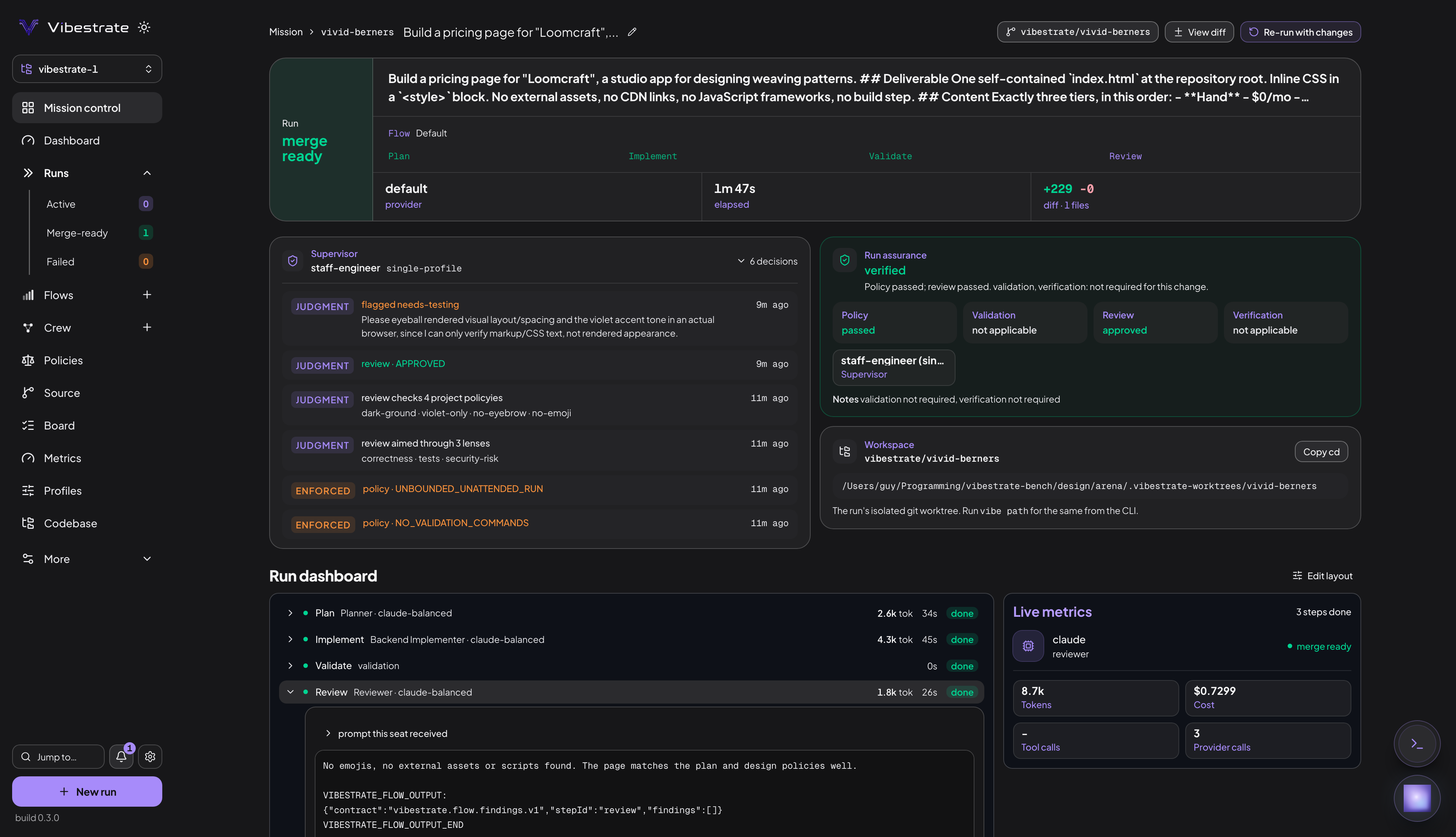
Run assurance is the verdict across four lanes. Flow & why records which flow ran and where that choice came from; View diff, Workspace and Copy cd reach the branch it left behind.
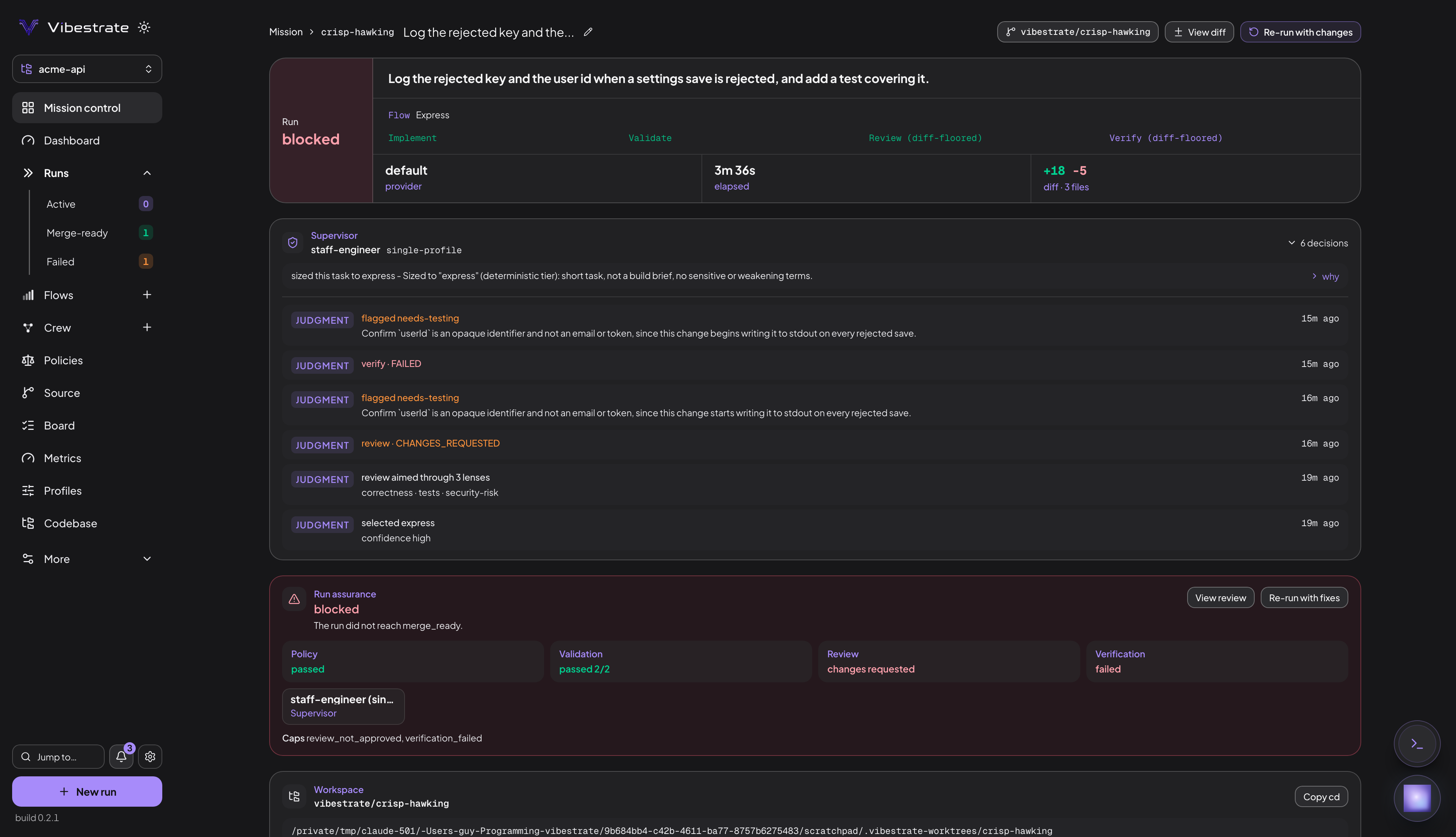
Verification failed behind the review, so the run stopped at blocked. View review opens the finding; Re-run with fixes sends the work back with it attached. One model wrote the change, a second one caught it.
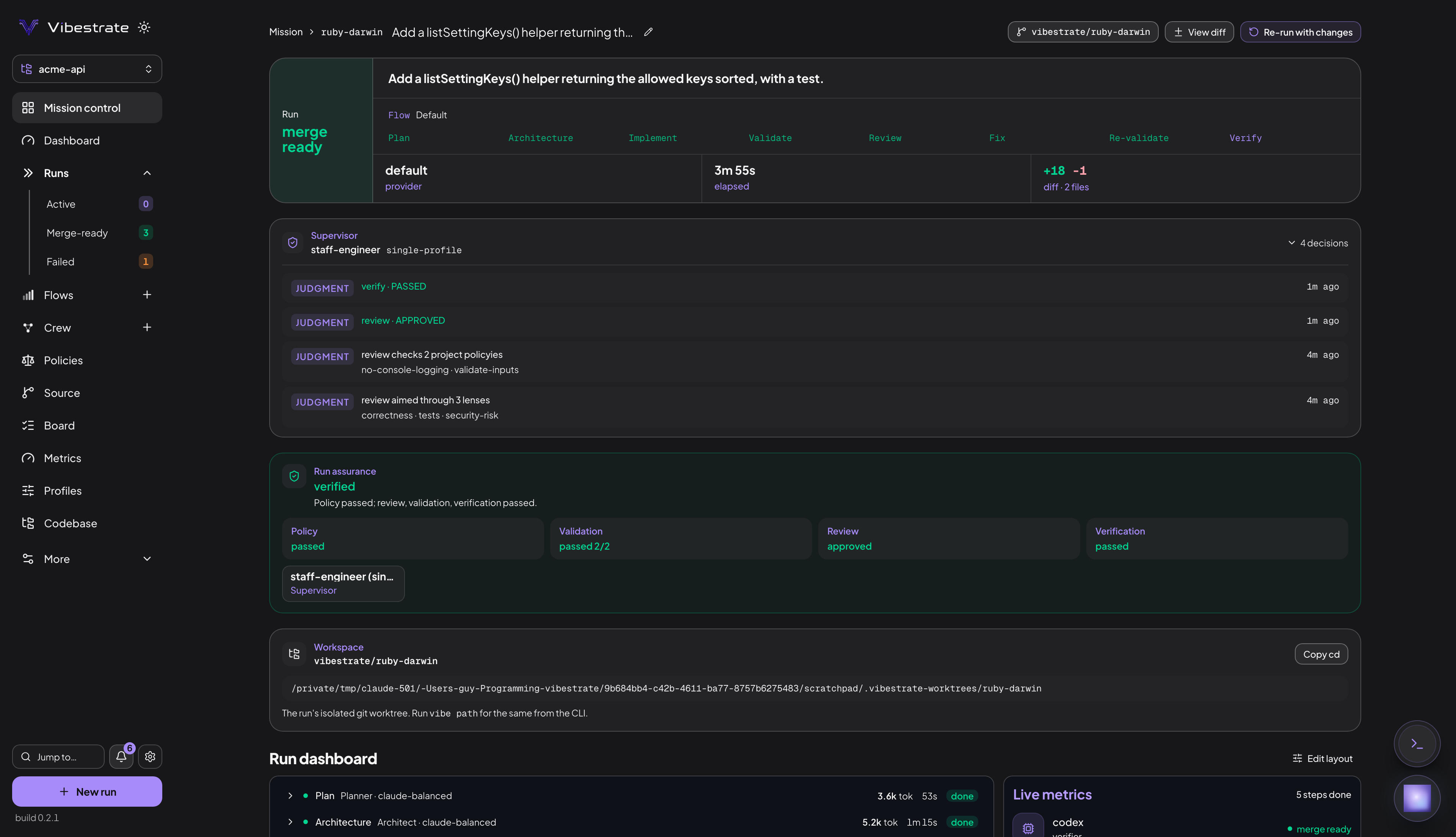
Claude planned, architected and wrote this change; Codex reviewed and verified it, and the reviewer checked this project’s own policies by name rather than leaving them in a file nobody reads.
A run works in a separate git worktree on its own branch. It never pushes and never merges. Every prompt, output and decision is written under .vibestrate/runs/, one folder per run. It stops at one of four outcomes:
Where the worktree boundary ends. node_modules, .venv and venv are symlinked from your project into the worktree so your tests can run there. An agent with write permission can write back through those links into your project’s installed dependencies, never into your tracked source. git.linkEnvironment: off turns the links off.
The flow is chosen per task
defaultFlow is unset in a fresh project, so with nothing pinned Vibestrate decides per task: a short, low-risk task can be sized down to express, a risk-tagged one can be upgraded by your supervisor persona, and a brief that reads like “build me a whole system” runs the read-only Spec-up chain first. More in Flow.
Crew, rules and recipes
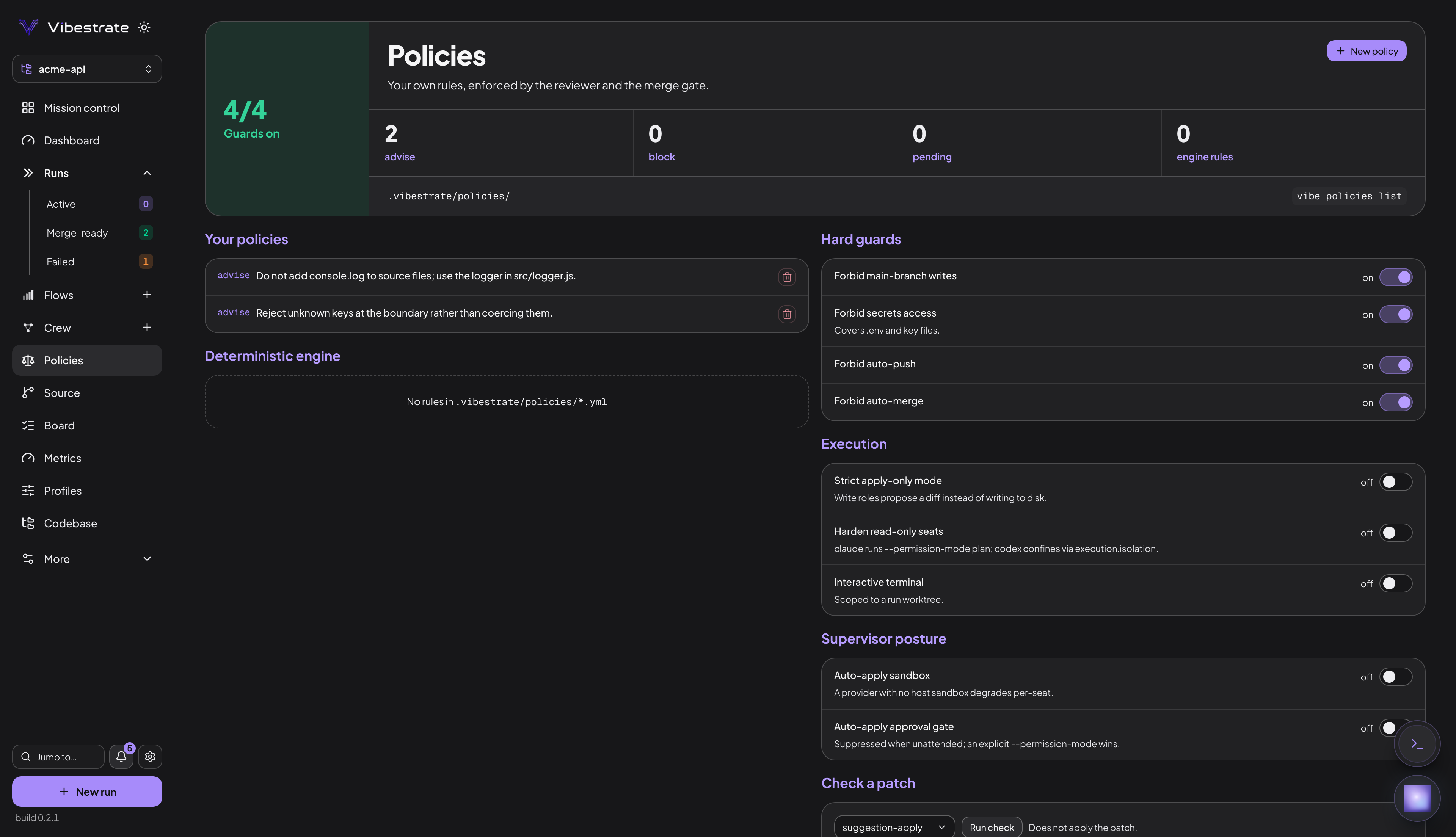
Crew maps each role to the seats it fills and the profile it runs on; its Providers tab detects, sets up and tests the local CLIs. Policies hold your project’s rules, each set to advise, which the reviewer checks, or block, which caps the run at merge time; the four hard guards sit below them, already on. Flows are the run recipes: 16 ship built in, New flow opens the builder, and Draft a flow turns a sentence into a project-owned one you can edit.
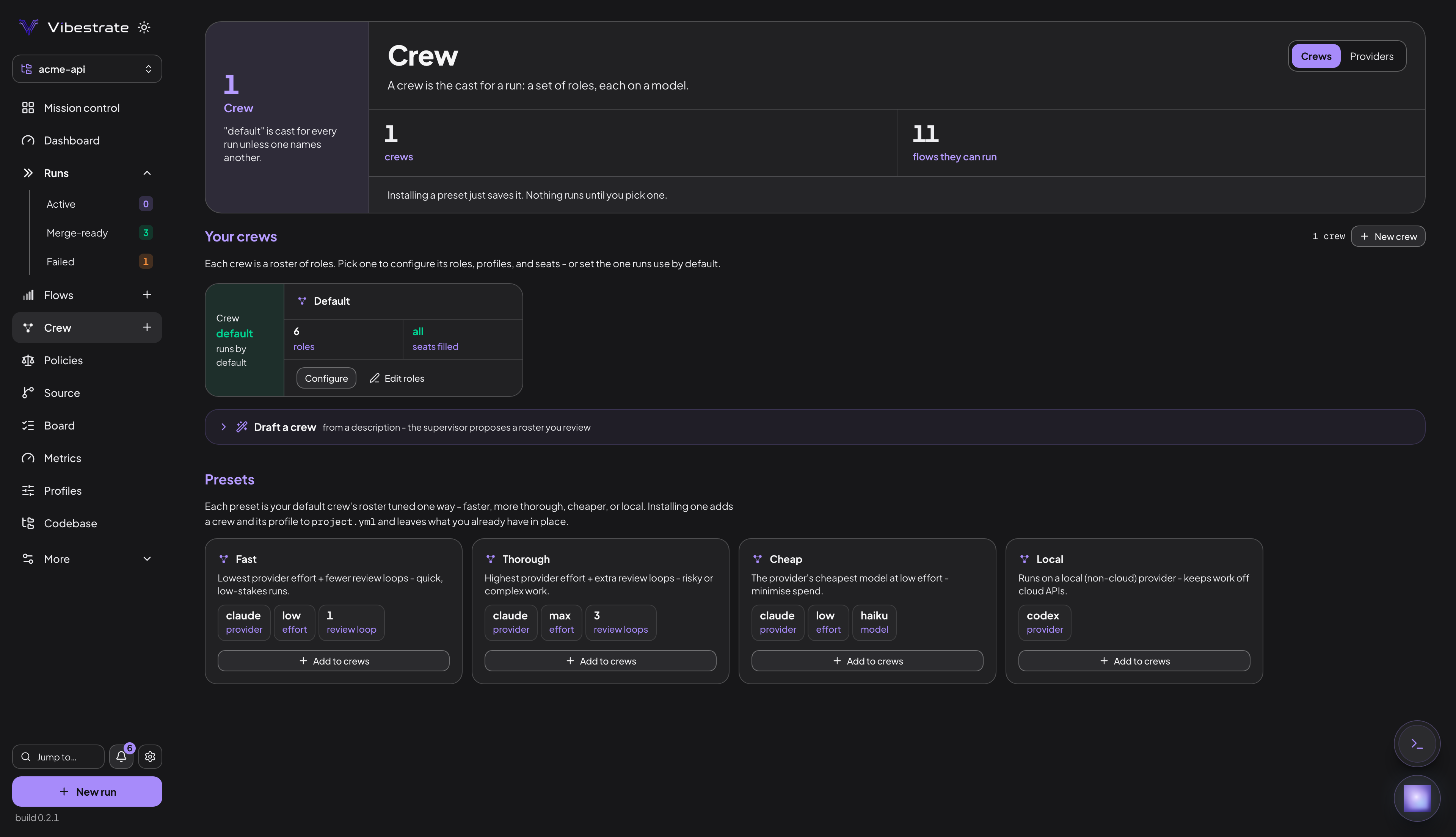
Vibestrate detects eleven coding CLIs and configures five on its own - claude, codex, gemini, aider and ollama. The provider reference covers what the other six need:
Nothing leaves your machine unless you ask: browsing the Flow Hub, importing a Flow by URL, fetching a skill, passing --context-url, exporting metrics to your own collector, or configuring an http-api provider that calls a model API directly.
Every run stays on the record
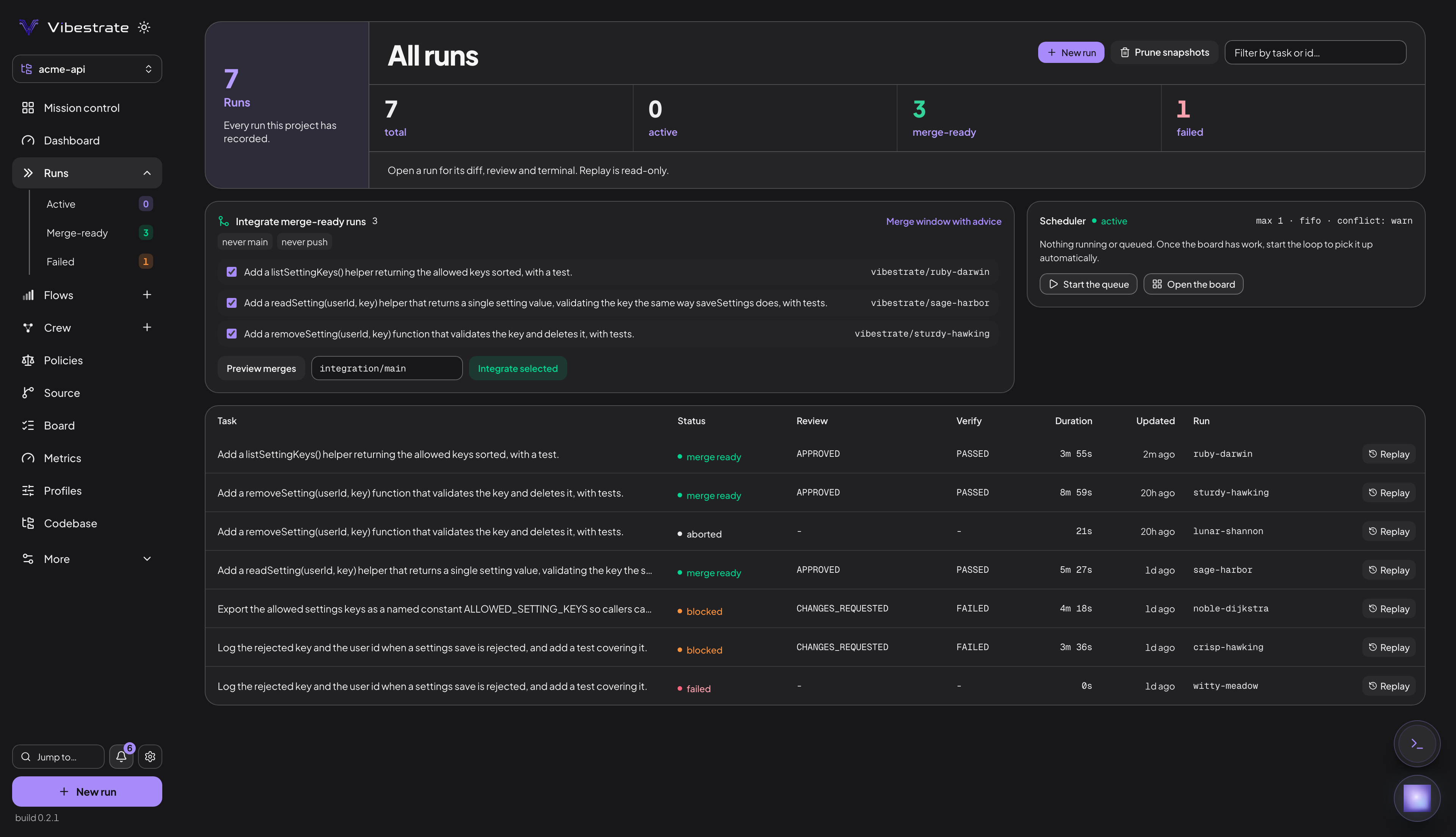
All runs lists every run in the project with its review and verification outcome and duration. Replay walks a finished one step by step from what was saved on disk, and the Scheduler strip decides what starts next.
Where to go next
Quick start Point the dashboard at a coding CLI you already have and take one task from a sentence to a branch you can keep.
Full walkthrough The tour: the dashboard, flows, crews, policies, spec-up and the merge path.
How these docs are laid out
Every page follows the same shape, so you can skim one the way you skim any other.
| Part | What it is |
|---|---|
| In simple words | The first section on every page. Plain language, no jargon, enough to decide whether you need the rest. |
| The middle sections | The actual behaviour, in the order it happens. Each is a chapter you can link straight to. |
| On this page | The rail on the right. Every chapter, one click each. |
Next: | The last line, naming the page that follows this one. Read them in order and you have read the manual. |
Three kinds of page, and it is worth knowing which you are on:
Concepts One idea each: Task, Flow, Crew, Run. Start here.
Reference
Generated from the source, so it cannot drift:
project.yml, CLI,
providers, run states.
Architecture How it works underneath: the schematics, the overview, the repository map.
Looking for the diagrams? Schematics collects every figure in the docs on one page, in the order the pieces depend on each other. It is the fastest way to see the whole system at once.
Finding things
Search
Press / anywhere. It matches page titles and section headings.
A field you saw in a config
The concept page for that type has a What a X carries table naming every
field, and project.yml has the generated,
complete list.
A command you half remember CLI commands is generated from the program itself, so every flag on it is real.
Ask your own project
vibe consult "why did that run stop?" answers from your files, config and runs
plus these docs. Read-only, and it starts nothing.
Where these docs come from
The pages are markdown in the product repository under docs/content/, and the
reference pages are generated from the code itself: the CLI page from the
command tree, the config page from the Zod schema, the provider and flow pages
from their catalogs. That is deliberate. Anything a person writes by hand can go
stale; anything generated cannot say a flag exists that does not.
The handwritten pages are kept honest by tests rather than by review. A page may not hide its content behind one catch-all chapter, a field table may not name a field the schema does not have, and a diagram may not hard-code a colour or drift from the copy of itself on another page. Those checks run in CI, so the docs fail the build rather than quietly rotting.
The terminal, when you want it
vibe on its own opens the interactive shell, the terminal-native version of the same surfaces: Dashboard, Flow, Crew and seven more as numbered tabs, with a : palette for the rest. See the interactive shell.
Commands are the automation path: a script, a CI job, an unattended run.
vibe ui                                            # the dashboard on 127.0.0.1:4317
vibe init                                          # scaffold .vibestrate/
vibe run "Add audit logging to the settings flow"  # plan, build, validate, review
vibe status                                        # the runs in this project
vibe run takes --flow, --crew, --profile, --skills, --read-only and --unattended. vibe steer <runId> <note> queues a note onto a live run, applied at the next step boundary. vibe consult "<question>" answers from your project’s real contents without touching them.
Start at the CLI overview, then the command reference. Create and run a task covers wiring runs into your own scripts.
